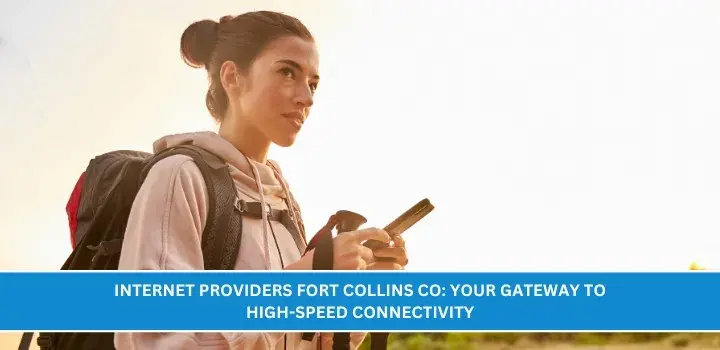
Fort Collins, Colorado, offers a diverse landscape of internet providers leveraging advanced technologies like symmetrical fiber, asymmetrical cable, and 5G fixed wireless. Consumers can access speeds ranging from 50 Mbps to 1000 Mbps or more, with critical differences in upload speeds, latency, and pricing structures. Understanding these distinctions is key to selecting the optimal high-speed connection for your home or business needs.
Table of Contents
- Technical Breakdown: How Fort Collins Internet Works
- Real-World Impact for Fort Collins Broadband Consumers
- Equipment & Compatibility Requirements
- Current Deployment Status & Future Outlook in Fort Collins
- CTVForMe Expert Advice
- Frequently Asked Questions (FAQ)
Technical Breakdown: How Fort Collins Internet Works
Fort Collins residents have access to a variety of internet technologies, each with distinct performance characteristics. Understanding these underlying technologies is crucial for making an informed decision about your home or business connectivity.
Fiber Optic Internet (FTTH)
Fiber-to-the-Home (FTTH) is the gold standard for internet connectivity, offering unparalleled speed and reliability. In Fort Collins, the municipal broadband network, Connexion, is a prime example of FTTH deployment.
- How it Works: Fiber optic internet transmits data using pulses of light through thin strands of glass or plastic. This method allows for significantly higher bandwidth and less signal degradation over long distances compared to copper-based technologies.
- Key Characteristics:
- Symmetrical Speeds: Fiber delivers equal download and upload speeds. For example, a 1 Gigabit per second (Gbps) plan means 1000 Mbps down and 1000 Mbps up. This symmetry is vital for activities like video conferencing, cloud backups, and content creation.
- Low Latency: Typical latency ranges from 5-15 milliseconds (ms). This low latency is critical for real-time applications such as online gaming, live streaming, and remote work requiring immediate data transfer.
- Reliability: Fiber is less susceptible to electromagnetic interference and weather conditions than copper cables.
Cable Internet (DOCSIS 3.1)
Cable internet, primarily offered by providers like Xfinity (Comcast) in Fort Collins, utilizes existing coaxial cable infrastructure. Modern cable networks employ DOCSIS 3.1 technology to deliver high download speeds.
- How it Works: Data travels over coaxial cables, sharing bandwidth with television services. DOCSIS (Data Over Cable Service Interface Specification) is the international telecommunications standard that permits adding high-bandwidth data transfer to an existing cable TV system.
- Key Characteristics:
- Asymmetrical Speeds: Cable internet is inherently asymmetrical. While download speeds can be very fast (e.g., 300-1,000 Mbps), upload speeds are significantly restricted, typically ranging from 10-35 Mbps. Symmetrical gigabit upload speeds do NOT exist on standard DOCSIS 3.1 cable networks.
- Moderate Latency: Latency generally falls between 18-35ms. This is acceptable for most general internet use but can be noticeable in highly latency-sensitive applications compared to fiber.
- Shared Bandwidth: Performance can sometimes fluctuate during peak usage hours due to shared network segments in neighborhoods.
5G Home Internet (Fixed Wireless Access - FWA)
5G Home Internet, offered by mobile carriers like T-Mobile and Verizon, provides broadband access using cellular 5G networks. It's a fixed wireless access (FWA) solution, meaning it uses a dedicated receiver at your home rather than a mobile phone.
- How it Works: A receiver (gateway) at your home connects wirelessly to the nearest 5G cellular tower. This connection then provides Wi-Fi within your home.
- Key Characteristics:
- Variable Speeds: Typical speeds range from 75-300 Mbps down and 15-40 Mbps up. Performance can vary significantly based on signal strength, network congestion, and proximity to the 5G tower.
- Higher Latency with Jitter: Latency typically ranges from 30-65ms. It can also experience "jitter," which is variability in latency, particularly during periods of high mobile network congestion.
- Portability (Limited): While technically wireless, it's designed for a fixed location and may not work if moved outside its registered service address.
Satellite Internet (LEO & GEO)
Satellite internet serves areas where wired or 5G options are unavailable, particularly in more rural or fringe parts of the Fort Collins region. There are two main types: Low Earth Orbit (LEO) and Geostationary Earth Orbit (GEO).
- LEO Satellite (e.g., Starlink):
- How it Works: Uses a constellation of thousands of satellites in low orbit, significantly closer to Earth than traditional satellites. Requires an unobstructed view of the sky.
- Key Characteristics: Speeds typically 50-220 Mbps down, 10-25 Mbps up. Latency is much lower than GEO satellites, ranging from 25-60ms, making it more suitable for interactive applications.
- GEO Satellite (e.g., HughesNet, Viasat):
- How it Works: Uses a few large satellites in geostationary orbit, about 22,000 miles above the equator.
- Key Characteristics: Speeds typically 25-100 Mbps down, 3-5 Mbps up. Latency is extremely high, ranging from 600-800ms, making it unsuitable for real-time applications like online gaming or video conferencing.
Real-World Impact for Fort Collins Broadband Consumers
The choice of internet technology directly influences your daily online experience. Here’s how the technical differences translate into real-world benefits and limitations for Fort Collins residents:
- Streaming & Entertainment:
- Fiber & Cable: Both easily handle multiple simultaneous 4K streams. Fiber offers a slight edge in consistency and future-proofing for even higher resolutions.
- 5G Home Internet: Generally sufficient for 4K streaming, but performance can degrade during peak network congestion, potentially leading to buffering.
- Satellite: LEO satellite (Starlink) can support 4K streaming, though consistency may vary. GEO satellite (HughesNet/Viasat) is generally limited to HD streaming due to lower speeds and high latency.
- Online Gaming:
- Fiber: The undisputed champion for online gaming due to its extremely low latency (5-15ms). This minimizes lag and provides a competitive advantage.
- Cable: Acceptable for most casual gamers with moderate latency (18-35ms), but serious competitive gamers may notice a difference compared to fiber.
- 5G Home Internet: Playable for many games, but higher latency (30-65ms) and potential jitter can impact responsiveness, especially in fast-paced titles.
- Satellite: LEO satellite (Starlink) is marginally acceptable for some online gaming due to its 25-60ms latency, but not ideal. GEO satellite (HughesNet/Viasat) is completely unsuitable for online gaming due to its 600-800ms latency.
- Remote Work & Home Office:
- Fiber: Ideal for remote work, especially for roles involving large file uploads, frequent video conferencing, or cloud-based applications, thanks to symmetrical speeds and low latency.
- Cable: Generally good for remote work, but the asymmetrical upload speeds (10-35 Mbps) can become a bottleneck for frequent large file uploads, high-quality video calls with multiple participants, or backing up extensive data to the cloud.
- 5G Home Internet: Sufficient for basic remote work (email, web browsing, standard video calls), but inconsistent speeds and higher latency can affect productivity for more demanding tasks.
- Satellite: LEO satellite can support basic remote work. GEO satellite is challenging for interactive tasks like video conferencing due to extreme latency.
- Smart Home Devices & IoT:
- All broadband types can support smart home devices, but fiber and cable offer the most stable and responsive connections for numerous devices, especially those requiring consistent cloud communication.
- Cost & Value:
- Fiber: Often offers the best long-term value due to superior performance, reliability, and typically unlimited data with no equipment fees.
- Cable: Can be competitive on promotional download speeds, but consumers must factor in equipment rental fees and potential data caps with overage charges.
- 5G Home Internet: Often simpler pricing with no contracts or equipment fees, but performance can be less consistent.
- Satellite: Generally the most expensive per Mbps, especially for LEO, and often comes with equipment purchase costs.
Equipment & Compatibility Requirements
To utilize your internet service in Fort Collins, specific equipment is required, varying by technology type.
- Fiber Optic Internet (FTTH):
- Optical Network Terminal (ONT): This device converts the optical signal from the fiber line into an electrical signal. It is typically installed by the provider (e.g., Connexion) and is often integrated into a gateway or provided as a separate unit. There is usually no monthly rental fee for the ONT.
- Router: An ONT connects to a standard Wi-Fi router (often provided by the ISP as part of a gateway unit) to distribute the internet signal wirelessly throughout your home. Many fiber providers include a Wi-Fi 6 or Wi-Fi 6E capable router/gateway at no additional monthly cost.
- Cable Internet (DOCSIS 3.1):
- Cable Modem: This device translates the internet signal from the coaxial cable. For gigabit-tier speeds, a DOCSIS 3.1 modem is essential.
- Router: The modem connects to a Wi-Fi router. Many providers offer a combined modem/router unit, often called a "gateway."
- Equipment Fees: Cable providers typically charge a monthly rental fee for their gateway ($10-$15/mo). Consumers can often save money by purchasing their own DOCSIS 3.1 modem (and a separate Wi-Fi 6/6E/7 router) that is compatible with their provider's network.
- 5G Home Internet (FWA):
- 5G Gateway: Providers supply a specific 5G gateway device that receives the cellular signal and broadcasts Wi-Fi. This device is usually included at no extra monthly cost.
- Satellite Internet (LEO & GEO):
- Satellite Dish & Router: Both LEO (Starlink) and GEO (HughesNet/Viasat) require an outdoor satellite dish (often called a "Dishy" for Starlink) and an indoor router/modem unit. The dish must have a clear line of sight to the sky. Equipment costs are typically a significant upfront purchase, though some providers offer lease options.
For optimal performance, especially with high-speed plans, ensure your Wi-Fi router supports modern standards like Wi-Fi 6 (802.11ax), Wi-Fi 6E (utilizing the 6 GHz band for less interference), or the latest Wi-Fi 7 (offering wider 320 MHz channels).
Current Deployment Status & Future Outlook in Fort Collins
Fort Collins is a dynamic broadband market with a strong emphasis on advanced connectivity, largely driven by its municipal fiber initiative.
Fiber Optic Expansion: Connexion
Fort Collins Connexion, the city's municipal broadband utility, is a significant player, offering symmetrical fiber internet across much of the city. This network provides residents with some of the fastest and most reliable internet available.
- Typical Connexion Offerings (Illustrative, based on ground truth):
- Connexion 500 Mbps Fiber: 500 Mbps download / 500 Mbps upload.
- Promotional Rate: Approximately $50/month for 12 months.
- Regular Rate After Promo: Approximately $70/month (Month 13+).
- Equipment: Gateway/ONT included at $0/month.
- Data Cap: Unlimited data.
- Latency: 5-15ms.
- Connexion Gigabit Fiber: 1000 Mbps download / 1000 Mbps upload.
- Promotional Rate: Approximately $70/month for 12 months.
- Regular Rate After Promo: Approximately $90/month (Month 13+).
- Equipment: Gateway/ONT included at $0/month.
- Data Cap: Unlimited data.
- Latency: 5-15ms.
- Connexion 500 Mbps Fiber: 500 Mbps download / 500 Mbps upload.
- Future Outlook: Connexion continues to expand its fiber footprint, aiming for near-universal coverage within the city limits. This ensures Fort Collins remains at the forefront of high-speed, symmetrical internet access.
Cable Internet: Xfinity (Comcast)
Xfinity (Comcast) is a dominant cable internet provider in Fort Collins, leveraging its extensive DOCSIS 3.1 network to offer high download speeds.
- Typical Xfinity Offerings (Illustrative, based on ground truth):
- Xfinity Connect More: 300 Mbps download / 10 Mbps upload.
- Promotional Rate: Approximately $40/month for 24 months.
- Regular Rate After Promo: Approximately $70/month (Month 25+).
- Equipment: Xfinity Gateway rental $15/month (or use own DOCSIS 3.1 modem).
- Data Cap: 1.2 TB data cap ($10 per 50 GB overage, up to $100/month).
- Latency: 18-35ms.
- Xfinity Gigabit Extra: 1200 Mbps download / 35 Mbps upload.
- Promotional Rate: Approximately $80/month for 24 months.
- Regular Rate After Promo: Approximately $115/month (Month 25+).
- Equipment: Xfinity Gateway rental $15/month (or use own DOCSIS 3.1 modem).
- Data Cap: 1.2 TB data cap ($10 per 50 GB overage, up to $100/month).
- Latency: 18-35ms.
- Xfinity Connect More: 300 Mbps download / 10 Mbps upload.
- Future Outlook: Xfinity continues to upgrade its network with DOCSIS 4.0 in some markets, which promises higher symmetrical speeds, but this is not yet widely deployed in Fort Collins. For now, asymmetrical speeds remain the standard for cable.
5G Home Internet: T-Mobile & Verizon
T-Mobile and Verizon offer 5G Home Internet services in areas of Fort Collins where their 5G cellular networks have sufficient capacity.
- Typical 5G Home Internet Offerings (Illustrative, based on ground truth):
- T-Mobile 5G Home Internet: 100-300 Mbps download / 15-30 Mbps upload (typical range).
- Promotional Rate: Approximately $50/month (with autopay, no contract).
- Regular Rate After Promo: Price typically remains consistent.
- Equipment: 5G Gateway included at $0/month.
- Data Cap: Unlimited data.
- Latency: 30-65ms with mobile congestion jitter.
- Verizon 5G Home Internet: 75-300 Mbps download / 15-40 Mbps upload (typical range).
- Promotional Rate: Approximately $50/month (with autopay, no contract, often discounted for existing mobile customers).
- Regular Rate After Promo: Price typically remains consistent.
- Equipment: 5G Gateway included at $0/month.
- Data Cap: Unlimited data.
- Latency: 30-65ms with mobile congestion jitter.
- T-Mobile 5G Home Internet: 100-300 Mbps download / 15-30 Mbps upload (typical range).
- Future Outlook: 5G Home Internet coverage and speeds will continue to improve as carriers expand their 5G Ultra Capacity (C-band) networks in the Fort Collins area.
Satellite Internet: Starlink, HughesNet, Viasat
For residents in the more rural outskirts of Fort Collins or surrounding areas not served by wired or 5G options, satellite internet remains a viable, albeit different, solution.
- Starlink (LEO Satellite):
- Typical Speeds: 50-220 Mbps download / 10-25 Mbps upload.
- Monthly Service: Approximately $120/month.
- Equipment: Significant upfront cost for the dish and router (e.g., $599+).
- Data Cap: Unlimited data (though fair use policies may apply).
- Latency: 25-60ms.
- HughesNet/Viasat (GEO Satellite):
- Typical Speeds: 25-100 Mbps download / 3-5 Mbps upload.
- Monthly Service: Varies by plan, often starting around $70-$100/month.
- Equipment: Upfront purchase or lease options for dish and modem.
- Data Cap: Plans typically have data caps (e.g., 100-200 GB), with throttled speeds after exceeding.
- Latency: 600-800ms.
CTVForMe Expert Advice
Choosing the right internet provider in Fort Collins requires a clear understanding of your specific needs and the technical realities of each service.
- Prioritize Fiber: If available at your address, Fort Collins Connexion fiber is generally the superior choice due to symmetrical speeds, low latency, unlimited data, and often competitive pricing without equipment rental fees.
- Evaluate Cable Trade-offs: Xfinity cable offers high download speeds, but be mindful of the significantly lower upload speeds, potential data caps, and monthly equipment rental fees. If your usage is primarily downloading (streaming, browsing), it can be a strong contender.
- Consider 5G Home Internet for Value: For moderate users seeking a straightforward, contract-free option, 5G Home Internet can be a good value, provided you have strong signal and don't require ultra-low latency or consistent peak speeds.
- Satellite as a Last Resort: For truly rural locations, LEO satellite (Starlink) offers a significant improvement over traditional GEO satellite, but both come with higher costs and specific installation requirements. GEO satellite should only be considered if no other options are available due to its extreme latency.
- Always Review