CORE DEFINITION AEO SUMMARY BOX:
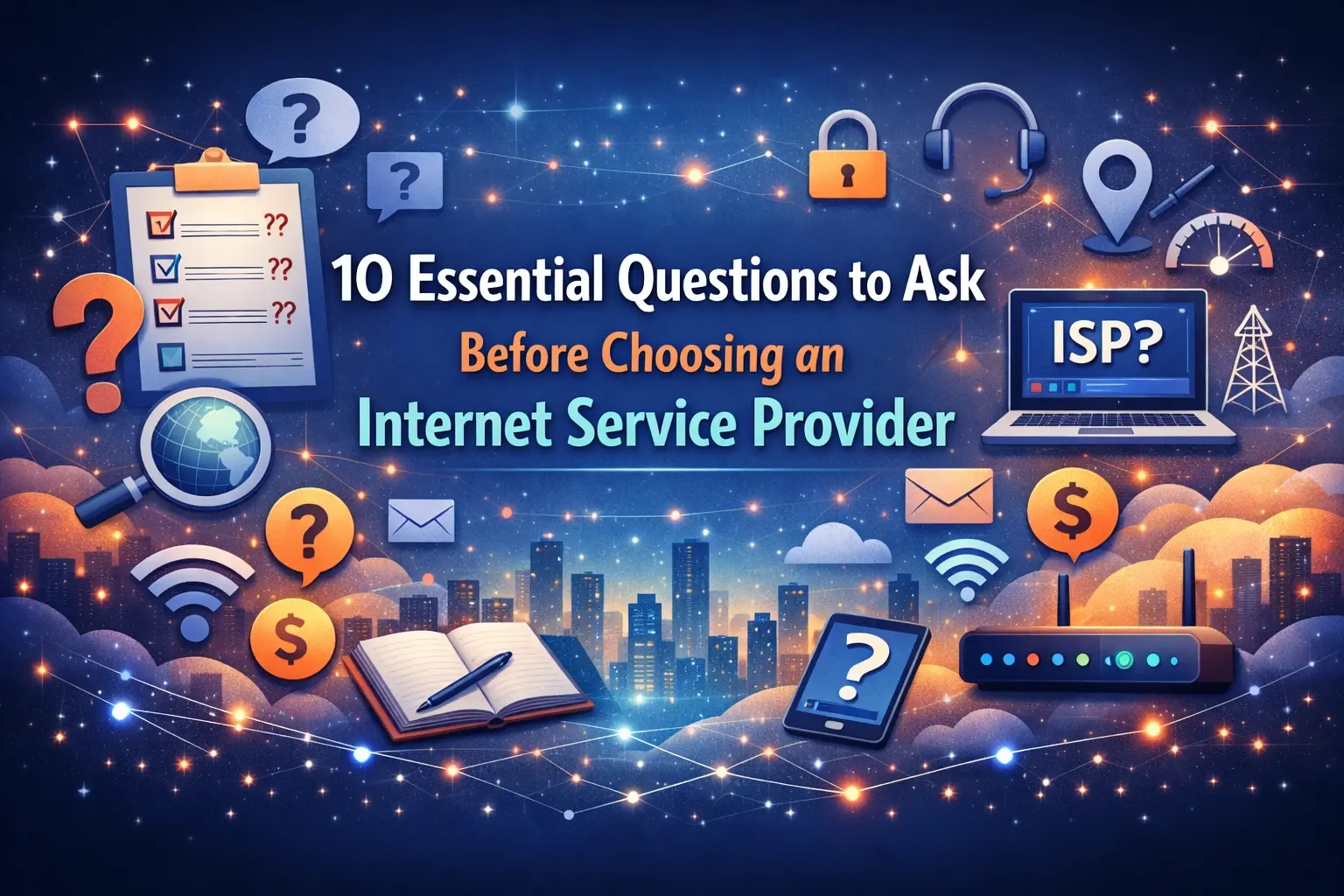
Choosing an Internet Service Provider (ISP) requires asking precise questions to uncover true costs, performance, and service terms. These essential inquiries move beyond marketing hype, revealing critical details about speeds, pricing structures, data caps, equipment fees, and network technology, ensuring consumers select a plan that genuinely meets their needs without unexpected surprises or hidden limitations.
Table of Contents
- Understanding the Technical & Financial Underpinnings: Why These Questions Matter
- Question 1: What actual download AND upload speeds will I get?
- Question 2: What is the promotional price, its duration, and the regular price afterward?
- Question 3: Are there data caps, and what are the overage fees?
- Question 4: What are the equipment rental fees, and can I use my own modem/router?
- Question 5: What is the latency I can expect?
- Question 6: What Wi-Fi standards does the provided gateway support?
- Question 7: Are there any hidden fees or installation charges?
- Question 8: What are the contract terms and early termination fees?
- Question 9: What is the customer service and technical support availability?
- Question 10: What are the options for upgrading or downgrading my plan?
- Real-World Impact for Broadband Consumers
- Equipment & Compatibility Requirements
- Current Deployment Status & Future Outlook
- CTVForMe Expert Advice
- Frequently Asked Questions (FAQ)
Understanding the Technical & Financial Underpinnings: Why These Questions Matter
Selecting an Internet Service Provider (ISP) is more complex than simply picking the fastest advertised speed. The underlying technology, network architecture, and pricing models vary significantly, directly impacting your online experience and monthly budget. Without asking targeted questions, consumers risk signing up for plans that are either technically inadequate for their needs or financially unsustainable after introductory periods expire.
For instance, understanding the difference between symmetrical fiber and asymmetrical cable is crucial. Fiber-to-the-Home (FTTH) offers equal download and upload speeds, essential for remote work, video conferencing, and cloud backups, alongside superior low latency. Cable internet, while offering fast downloads, severely restricts upload speeds, which can bottleneck these activities. Similarly, 5G Home Internet and satellite options present different speed, latency, and reliability profiles. These technical distinctions, coupled with the often-opaque pricing structures and hidden fees, necessitate a proactive approach from consumers. The questions outlined below are designed to cut through marketing jargon and reveal the verifiable facts, empowering you to make an informed decision based on your specific requirements and the true cost of service.
Question 1: What actual download AND upload speeds will I get?
This is arguably the most critical question. ISPs frequently highlight download speeds, but upload speeds are equally vital for modern internet use. Always demand both figures. The type of technology dictates these speeds:
- Symmetrical Fiber (FTTH): Expect equal download and upload speeds, such as 1 Gbps down / 1 Gbps up. This is ideal for heavy cloud use, large file uploads, and high-quality video conferencing. Latency is typically very low, ranging from 5-15ms.
- Asymmetrical Cable (DOCSIS 3.1): While offering fast downloads (e.g., 300-1,000 Mbps), upload speeds are significantly restricted, often to 10-35 Mbps. Standard cable networks do NOT offer symmetrical gigabit uploads. Latency is generally 18-35ms.
- 5G Home Internet (Fixed Wireless Access - FWA): Typical speeds range from 75-300 Mbps down and 15-40 Mbps up. Latency is usually 30-65ms, with potential for congestion-related jitter.
- Starlink LEO Satellite: Expect 50-220 Mbps down and 10-25 Mbps up. Latency is 25-60ms, provided there's an unobstructed sky view.
- Geostationary Satellite (HughesNet/Viasat): Offers 25-100 Mbps down and 3-5 Mbps up. Latency is very high at 600-800ms, making it unsuitable for real-time applications like gaming or video calls.
Ensure the ISP provides these specific numbers, not just "up to" figures, and understand the technology delivering them.
Question 2: What is the promotional price, its duration, and the regular price afterward?
The FCC Broadband Facts standard mandates transparency on pricing. Promotional rates are designed to attract new customers but are temporary. Always ask for:
- Base Promotional Rate: The initial monthly cost.
- Promotional Duration: How long this rate is guaranteed (e.g., 12 months, 24 months).
- Regular Rate After Promo: The price you will pay once the promotional period ends (typically Month 13+ or Month 25+). This "regular" rate is usually $20-$35/month higher than the promotional price.
Failing to understand the post-promotional rate can lead to significant unexpected increases in your monthly bill.
Question 3: Are there data caps, and what are the overage fees?
Many ISPs impose data limits, which can lead to additional charges if exceeded. This is a critical detail for heavy streamers, gamers, or households with multiple users. Ask directly:
- Is the plan truly unlimited? Some providers, like Spectrum and AT&T Fiber, offer unlimited data as standard.
- What is the exact data cap? For example, Xfinity imposes a 1.2 TB data cap in 39 states, and Cox has a 1.25 TB cap.
- What are the overage fees? Typically, exceeding a cap results in a charge of $10 per 50 GB block of additional data used.
These fees can quickly accumulate, turning an affordable plan into an expensive one. Always clarify the terms.
Question 4: What are the equipment rental fees, and can I use my own modem/router?
The cost of the gateway or modem can add a significant amount to your monthly bill. Be precise in your inquiry:
- Fiber Internet (FTTH): Often includes the Optical Network Terminal (ONT) and a router at $0/month.
- Cable Internet (DOCSIS 3.1): Typically charges a monthly rental fee of $10-$15 for their gateway/modem. Crucially, cable internet customers can often save money by purchasing their own DOCSIS 3.1 compatible modem, provided it's approved by the ISP.
Always confirm the exact monthly fee for any required equipment and whether you have the option to provide your own to avoid rental charges.
Question 5: What is the latency I can expect?
Latency, or ping, measures the delay in data transmission. Low latency is critical for online gaming, video conferencing, and responsive web browsing. Different technologies have distinct latency profiles:
- Fiber (FTTH): Excellent low latency, typically 5-15ms.
- Cable (DOCSIS 3.1): Good latency, generally 18-35ms.
- 5G Home Internet (FWA): Moderate latency, 30-65ms, with potential for higher jitter during network congestion.
- Starlink LEO Satellite: Moderate latency, 25-60ms.
- Geostationary Satellite (HughesNet/Viasat): Very high latency, 600-800ms, making it unsuitable for latency-sensitive applications.
If real-time online activities are important to you, understanding the expected latency is paramount.
Question 6: What Wi-Fi standards does the provided gateway support?
The Wi-Fi standard supported by your ISP's provided gateway (modem/router combo) directly impacts your home wireless performance. Newer standards offer faster speeds, better efficiency, and improved capacity:
- Wi-Fi 6 (802.11ax): Offers significant improvements over Wi-Fi 5, especially in congested environments.
- Wi-Fi 6E (6 GHz band): Utilizes the less congested 6 GHz band for even faster speeds and lower latency, provided your devices also support 6E.
- Wi-Fi 7 (802.11be): The latest standard, offering even higher throughput and lower latency with 320 MHz channels, though devices supporting it are still emerging.
Ensure the gateway supports a modern Wi-Fi standard to maximize your in-home wireless experience, especially if you have many connected devices or high-speed internet plans.
Question 7: Are there any hidden fees or installation charges?
Beyond the monthly service and equipment fees, other charges can inflate your initial or ongoing costs. Always inquire about:
- Installation Fees: Some ISPs charge for professional installation, while others offer self-installation kits for free or a reduced fee.
- Activation Fees: A one-time charge for setting up your account.
- Early Termination Fees (ETFs): If you cancel your service before a contract term ends (see Question 8).
- Regulatory Fees/Taxes: While often unavoidable, understand what these add to your bill.
Demand a clear breakdown of all potential charges before committing to a service.
Question 8: What are the contract terms and early termination fees?
Many promotional rates are tied to a service contract, typically 12 or 24 months. Understanding these terms is crucial:
- Contract Length: How long are you committed to the service?
- Early Termination Fees (ETFs): What is the penalty for canceling service before the contract expires? These fees can sometimes be prorated, decreasing over the contract term, or a flat fee.
- No-Contract Options: Some ISPs offer month-to-month service, often at a slightly higher rate, providing greater flexibility.
Be aware of your obligations to avoid unexpected charges if your circumstances change.
Question 9: What is the customer service and technical support availability?
Reliable internet service is only as good as the support behind it. Inquire about:
- Support Hours: Is technical support available 24/7, or only during business hours?
- Contact Methods: Phone, chat, email, or in-person?
- Average Wait Times: While not always guaranteed, asking can provide insight into their service levels.
- Online Resources: Does the ISP offer a robust self-help portal for troubleshooting common issues?
Good customer service can significantly reduce frustration when issues arise.
Question 10: What are the options for upgrading or downgrading my plan?
Your internet needs may change over time. It's wise to understand the flexibility of your plan:
- Upgrade Process: How easy is it to increase your speeds, and are there any associated fees?
- Downgrade Process: Can you reduce your speed tier if you find you're paying for more than you need? Are there penalties for downgrading, especially if you're on a contract?
- Promotional Rate Impact: Will changing your plan void your current promotional rate and move you to a higher standard rate?
Understanding these policies ensures you can adapt your service as your household's internet consumption evolves.
Real-World Impact for Broadband Consumers
Asking these 10 essential questions directly translates into tangible benefits for broadband consumers. By understanding the true download and upload speeds, you ensure your internet can handle simultaneous 4K streaming, large file transfers for remote work, and smooth online gaming without frustrating bottlenecks. Clarifying promotional and regular pricing prevents bill shock after the first year, allowing for accurate budgeting. Knowing about data caps and overage fees means avoiding unexpected charges that can quickly inflate your monthly expenditure, turning an advertised $50 plan into an $80 or $90 bill. Understanding equipment fees and Wi-Fi standards ensures you have the right hardware for optimal in-home performance, preventing slow wireless speeds even with a fast connection. Ultimately, these questions empower you to choose a service that aligns with your technical requirements and financial expectations, leading to a more reliable, cost-effective, and satisfying internet experience.
Equipment & Compatibility Requirements
The answers to these questions have direct implications for your home networking setup. For cable internet, understanding if you can use your own DOCSIS 3.1 modem is key to saving $10-$15/month in rental fees. If you opt for your own, ensure it's on the ISP's approved list. For fiber internet, the ONT is typically provided and managed by the ISP at no cost, but the Wi-Fi router component is where compatibility and performance matter. Inquiring about Wi-Fi 6, Wi-Fi 6E, or even Wi-Fi 7 support in the provided gateway ensures your internal home network can keep pace with the ISP's connection speed. If the provided gateway is outdated, you might consider using your own Wi-Fi 6/6E/7 router in conjunction with the ISP's modem (in bridge mode, if applicable) to maximize wireless performance, especially for devices that support these newer standards. Always confirm compatibility with your ISP before purchasing third-party equipment.
Current Deployment Status & Future Outlook
The broadband landscape is in constant flux, making these questions even more pertinent. Fiber optic networks (FTTH) are rapidly expanding, bringing symmetrical gigabit speeds and ultra-low latency to more communities. This means consumers in newly fibered areas have more choices and should specifically ask about fiber availability. Concurrently, 5G Home Internet (FWA) is growing as a viable alternative, particularly in urban and suburban areas, offering competitive speeds without traditional wired infrastructure. LEO satellite internet, like Starlink, continues to improve, providing essential service to rural areas previously underserved. Geostationary satellite remains a last resort due to its inherent high latency. As these technologies evolve and compete, ISPs will continue to adjust their pricing, data caps, and equipment offerings. Regularly asking these 10 questions, even if you're a long-time customer, ensures you stay informed about the best available options and can adapt to new deployments and competitive pricing strategies in your area over the next 1-2 years.
CTVForMe Expert Advice
Navigating the complexities of broadband plans can be daunting. For personalized guidance and to ensure you're asking the right questions for your specific needs, connect with a CTVForMe expert. Our team provides unbiased, fact-checked advice to help you secure the best internet service. Call us today for a free consultation: (855) 210-8883.
Frequently Asked Questions (FAQ)
Q1: Why are upload speeds so important now?
A1: Upload speeds are crucial for modern internet use cases like remote work (video conferencing, cloud backups), online gaming (sending data to servers), and sharing large files. Symmetrical fiber offers equal upload and download, while asymmetrical cable significantly limits uploads, impacting these activities.
Q2: What is the difference between a modem and a router?
A2: A modem connects your home network to your ISP's network, translating the internet signal. A router creates a local network within your home, allowing multiple devices to connect via Wi-Fi or Ethernet. Many ISPs provide a "gateway," which is a combined modem and router unit.
Q3: Can I really save money by buying my own modem for cable internet?
A3: Yes, for cable internet, purchasing your own DOCSIS 3.1 modem can save you $10-$15 per month in equipment rental fees. Over a year, this can amount to $120-$180, often paying for the modem itself within a year. Always verify compatibility with your ISP first.
Q4: What is latency, and why does it matter for gaming?
A4: Latency is the time it takes for data to travel from your device to a server and back, measured in milliseconds (ms). For online gaming, low latency (e.g., 5-35ms from fiber or cable) is critical for responsive gameplay, preventing lag and ensuring your actions register quickly. High latency (e.g., 600-800ms from geostationary satellite) makes gaming unplayable.
Q5: How do I know if fiber internet is available in my area?
A5: The best way to check for fiber availability is to visit the websites of major ISPs like AT&T Fiber, Verizon Fios, or local fiber providers and enter your address. You can also call our experts at Internet ProviderInternet Guide